Apply classic photo effects and enhance your images with ease
Get started for freeImage adjustments allow you to fine-tune the appearance of your photos using precise controls. You can adjust brightness, contrast, saturation, vibrance, exposure, hue, sharpness, blur, gamma, and other settings to achieve the look you want.
Adjust your photos quickly with simple, intuitive controls. Fine-tune your image in just a few clicks.
Fine-tune brightness, contrast, saturation, exposure, hue, sharpness, and more to achieve the look you want.
Try our image adjustment tools for free. Just upload your image, make your adjustments, and save the result!
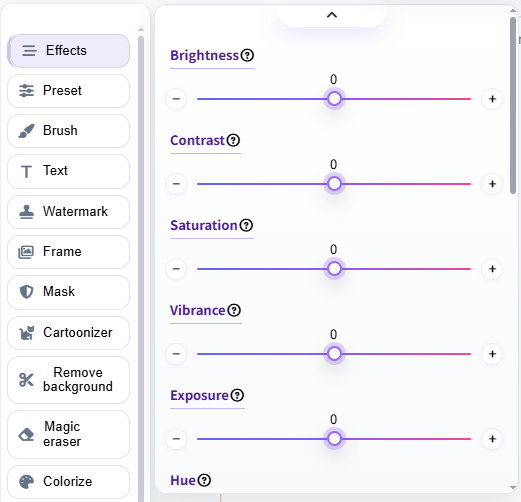
Fine-tune your photos with simple controls for brightness, contrast, saturation, vibrance, exposure, hue, sepia, noise, sharpen, blur, gamma, and more. See your changes instantly as you adjust each setting.
Found an adjustment combination you like? Save your current settings as an effect and reuse them whenever you need. This makes it easy to keep a consistent look across multiple images.
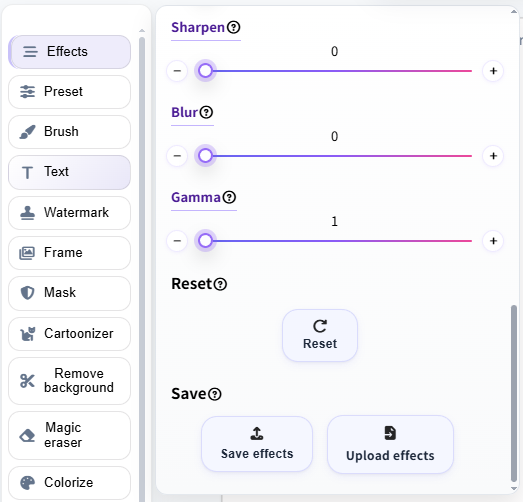
Our image adjustment tool makes it easy to fine-tune your photos with simple, intuitive controls. Adjust your image, save your settings, and reload them whenever you need:
Enhance your photos with powerful yet simple image adjustments. Upload an image, fine-tune the settings, and create the perfect look in just a few clicks!
Try It NowYou can adjust a variety of image settings, including brightness, contrast, saturation, vibrance, exposure, hue, sepia, noise, sharpen, blur, gamma, and more.
Yes. You can save your current adjustment settings as an effects file and reuse them later. This makes it easy to apply the same adjustments to other images.
Yes. Upload a previously saved effects file to quickly restore your adjustment settings. You can then apply the same look to a new image without adjusting each setting manually.
Yes. You can use the image adjustment tools for free. Simply upload your image, adjust the settings, and save your edited image.