
Store, edit, and access your images anytime in the cloud!
Get started for freeCloud image upload is the process of storing your pictures securely online, making them accessible from anywhere at any time. This allows you to save storage space, share images easily, and integrate them into e-commerce, marketing, design, or social media workflows without relying on local storage.
Upload your images to the cloud in seconds—no complicated setup required!
Your files are safely stored in the cloud and accessible anytime, anywhere.
Enjoy free uploads with no subscriptions—just select image, and go!
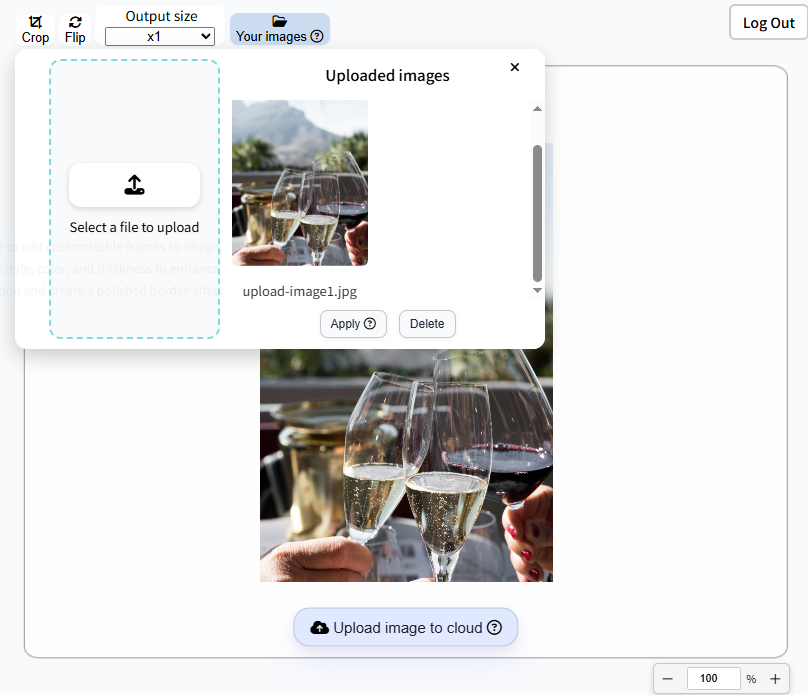
Easily manage your images in the cloud with a simple, intuitive interface. Upload a New Image to securely store your latest photos, keeping them safe, organized, and accessible from any device. Or upload your Current Editing Image to save directly in the cloud—whether resizing, enhancing, or applying creative adjustments.
If you no longer need an image, you can Delete it from the cloud in just a few clicks. This helps you keep your storage organized and frees up space, giving you full control over your image library.
Take full control of your photos with cloud-based editing. Simply upload your image and apply it for editing—whether you need to resize, enhance quality, adjust colors, or make creative changes. Everything happens online, so there’s no need for heavy software or local storage. Fast, simple, and accessible from your computer, our editor gives you the flexibility to perfect your images anytime, anywhere.
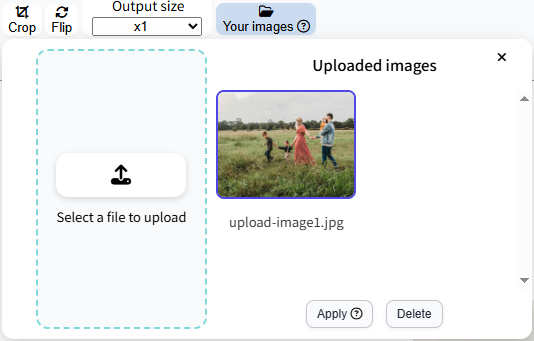
Using our cloud platform, you can securely store and manage your images anytime, anywhere. No technical skills required! Just follow these easy steps:
Securely upload to the cloud and access high-quality images anytime, anywhere.
Try It NowYes. You need to log in to securely upload, edit, and manage your images in the cloud.
Yes. Your images are stored in a secure cloud environment to keep them safe and private.
Not at all. Our platform is designed to be simple and intuitive—just upload, edit, and manage with a few clicks.
You can start for free with up to 5 images stored in the cloud.